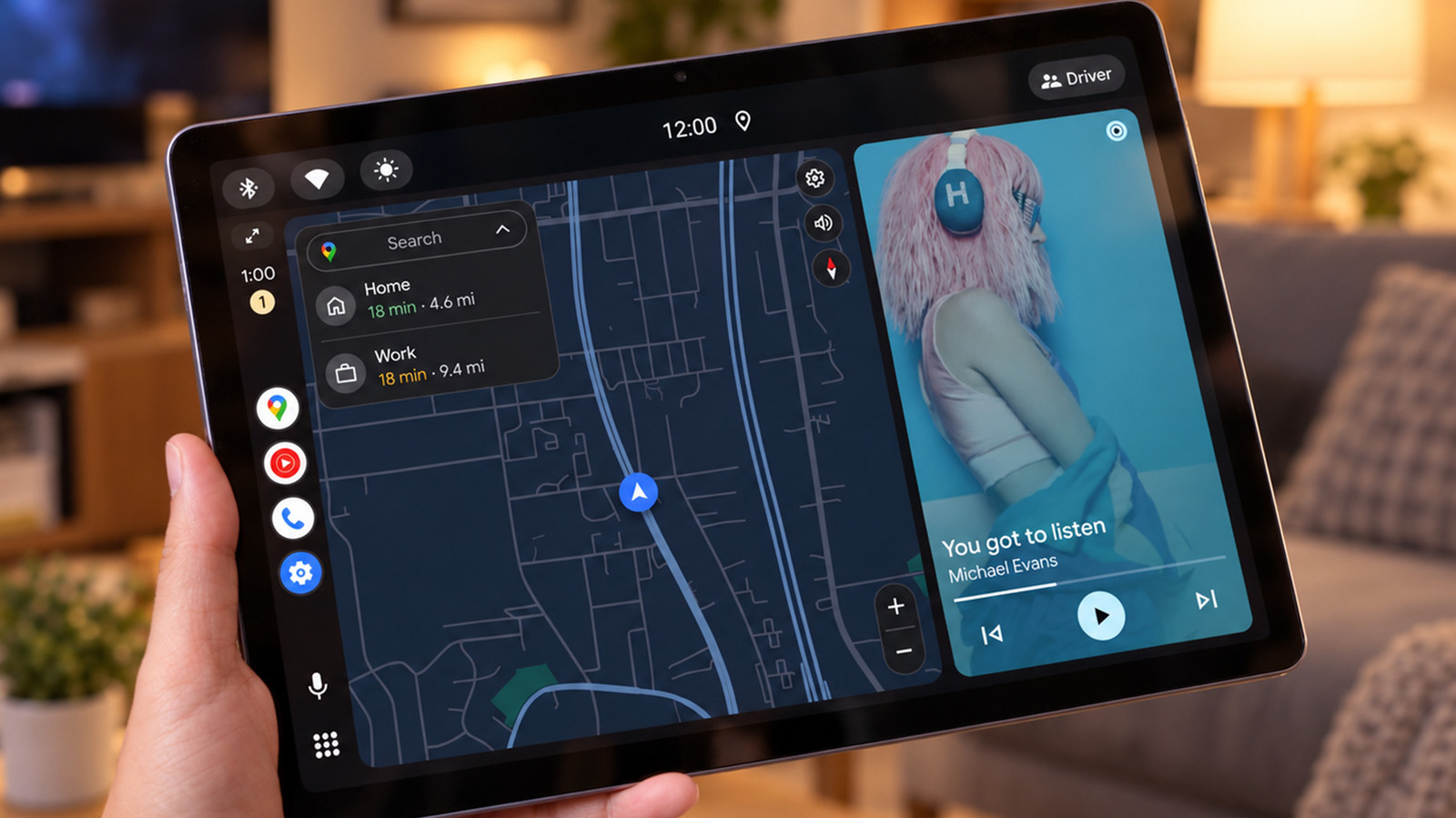
An aging Android tablet can be turned into an Android Auto display for a desk or kitchen counter, using a spare screen, a USB cable and a paid receiver app. Android Auto is the software that runs on a phone and projects a simplified interface for maps, music and messaging onto a compatible car display. A third-party receiver app installed on a tablet lets that tablet serve as the display instead, with no vehicle involved, while the phone handles the processing.
In a wired setup, the phone must run Android 11 or newer, and the second device needs to be an Android tablet or phone connected with a data-capable USB cable. Android Auto is already built into compatible phones, so only the receiver app has to be installed on the second device. One option is Open Headunit, formerly Headunit Revived, which costs $3.99 on Google Play and works with Android 5.0 or newer on the receiving device. Another is Headunit Reloaded at $4.99. Not every older tablet will handle the required USB connection.
Both apps also offer a Self-Mode that runs Android Auto on the same device without keeping a phone connected, though that requires a working Android Auto installation on the device itself, which older tablets may lack. Open Headunit's developer says Android Auto 17.4 and later may need the head unit server started through Android Auto's developer settings before Self-Mode works. Wireless connections between the two devices are possible but involve more setup, and USB occupies the tablet's charging port, which is a drawback when the battery is already worn.
The appeal for US users is a driving-friendly interface that acts as a distraction filter. Large controls allow Spotify to be paused or a podcast skipped without unlocking the phone, messages can be read aloud and answered by voice, and on compatible systems Gemini can respond to queries and manage smart home gadgets through Google Home, though that is not always reliable. Android Auto supports only a limited selection of apps, so the screen does not present the usual array of apps.
There are tradeoffs. Running Spotify or Google Home directly on the tablet is simpler if those are the only goals, and the dashboard can be dominated by maps when the user is not on the move. The tablet will not run its normal apps while connected to Android Auto, and anyone nearby may be able to see message notifications. The primary phone must remain connected for both USB and wireless projection, and paid services such as Spotify Premium still require their own subscriptions. Google's official setup instructions do not cover using Android Auto on a tablet at home.
More software news from TechManNews.