Microsoft is retiring three Office taskbar companion apps 14 months after their initial release. The People, Files and Calendar Companion apps will stop working on December 16, the company said in a support post. The tools were built to boost user productivity and focus.
The apps were mainly aimed at people running Windows 11 on devices managed by their employers. Microsoft added them automatically for holders of commercial Microsoft 365 and Office 365 licenses, and they were not included in all versions of Windows, so Windows 11 Home users likely never saw them. Microsoft did not explain the decision in its support post. The apps duplicated tools already available in Windows, and some users may have treated them as bloatware and removed them from company devices.
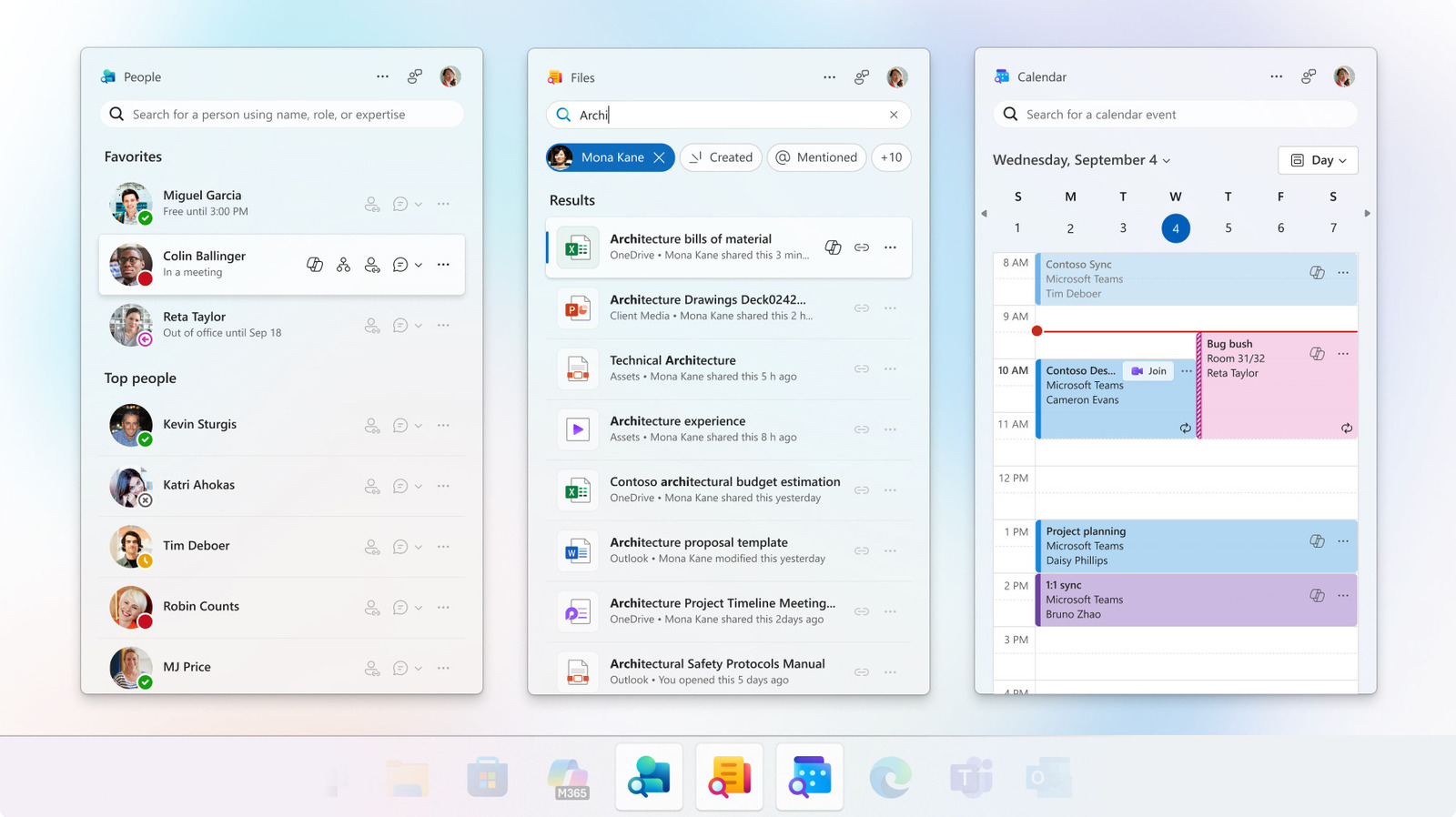
The People companion app was designed for locating colleagues or contacts quickly. It allowed users to start Microsoft Teams calls, view shared files, check a person's place in the company org chart, see online or offline status, share contact information, view profiles and skills, check whether someone was in a meeting or send an email in a few clicks. Users could favorite people such as a boss or immediate team members to pin them to the top, and a Copilot connection let them ask the AI about a colleague's projects.
The Files companion app provided fast access to Microsoft Office files and let users create shared links to them for coworkers. It also supported keyword searches and sorting by file type, functions the main Windows Search bar has long offered. The Calendar companion app gave another way to view a Microsoft 365 calendar and join meetings, letting users see and edit events, copy meeting links or search for a specific event.
Microsoft pointed users toward existing replacements. The Outlook app for Windows has tabs for Calendar, Contacts and email, and Teams covers some People and Calendar functions including instant messaging, calendar viewing and video calls. For file access, the company pointed to the Windows Start Menu search bar or Microsoft OneDrive, available as a desktop app or in a web browser.
IT administrators at organizations that manage Windows computers will likely remove the retired apps on users' behalf. Other users can go to Windows Settings, then Apps, then Installed Apps, search for "Microsoft 365 companions," click the three dots and select Uninstall. Because the apps rely on data from SharePoint Online and Exchange Online, Microsoft's support page says nothing is lost when they are removed, since that data stays in Microsoft 365 services rather than in the companion app files.
More software news from TechManNews.