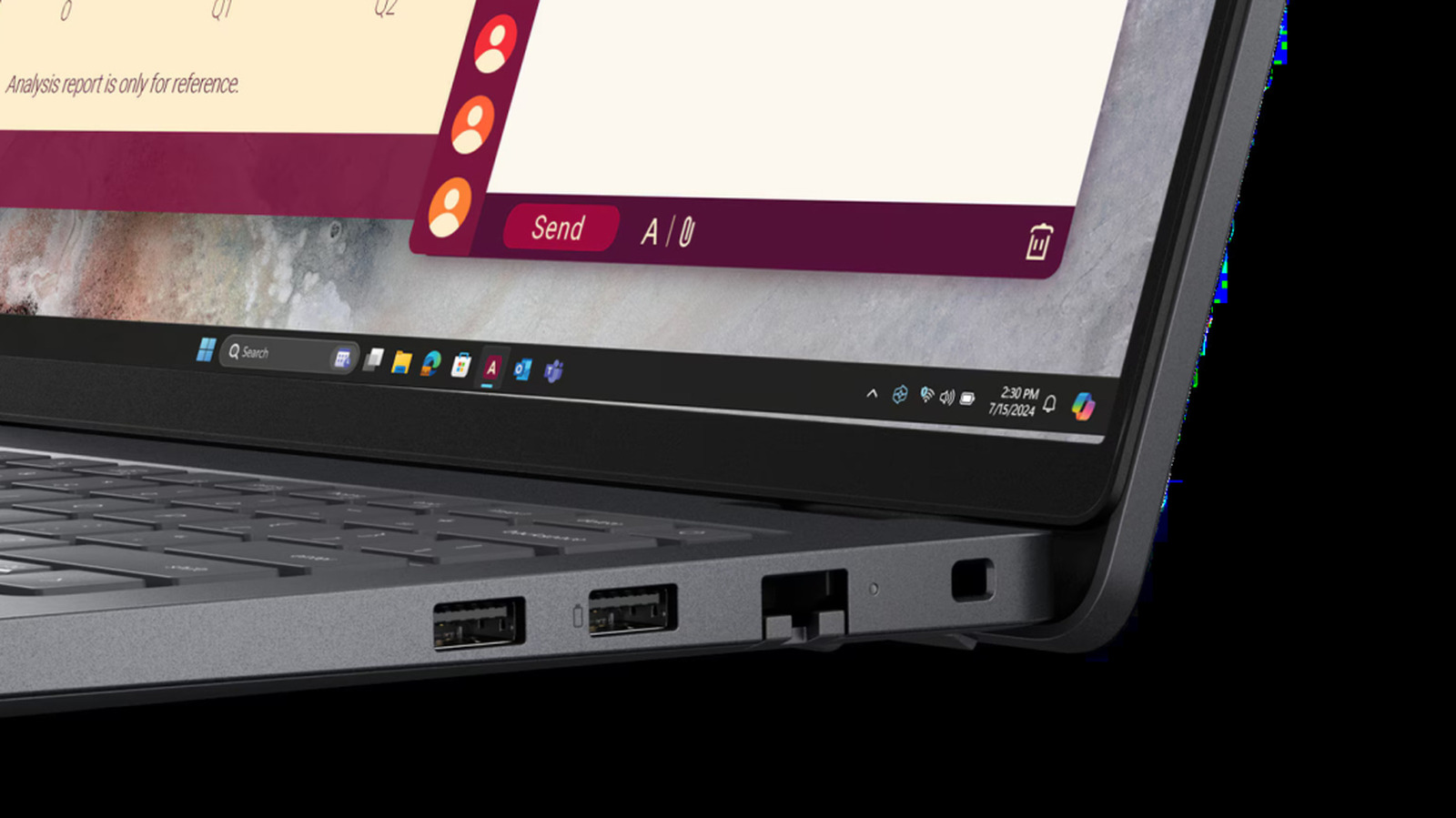
When a battery icon appears beside a USB port, it usually signals that the port supports USB Power Delivery and can handle faster charging along with two-way power flow. That distinction matters to laptop, phone and accessory owners in the US who plug multiple devices into the same machine. The symbol is common enough to confuse buyers, but its meaning is tied to a specific charging protocol rather than to any one brand.
USB PD, as the protocol is known, was first introduced in 2012, according to the source article, which notes that it predates the arrival of the USB-C port. The standard was updated in 2021 and can now deliver up to 240W of power, enough to support more demanding products such as high-end laptops or some monitors. The battery marking on a port is most often a sign that it is USB PD compatible.
A USB PD port uses an intelligent digital handshake between the device and the charger to supply the correct voltage and current while avoiding overheating, which can allow a laptop to charge faster. The same port may also support bidirectional charging, letting a user power a smartphone or AirPods from the laptop. Some ports with the symbol can even charge a connected device while the laptop is asleep or shut down through Always On charging.
That convenience carries a risk. Leaving a smartphone plugged into a compatible laptop port can drain the laptop battery completely, though most laptop makers include a way to turn the charging feature off. The source article also points out that USB PD has an inconsistent identity when it comes to labeling.
The USB Implementers Forum, the nonprofit corporation that created and sets official USB standards and whose members include Apple, Microsoft and HP, designates a battery shape made with negative space as the official symbol. Companies do not all follow that convention. Ports may instead show a different battery logo, a lightning bolt that should not be confused with the Thunderbolt symbol, or simply the letters PD, and some USB PD compatible ports carry no marking at all, as with Apple's Thunderbolt ports on its MacBooks. Checking the manufacturer's specifications in a user manual is the reliable way to confirm a port's capabilities.
More hardware news from TechManNews.