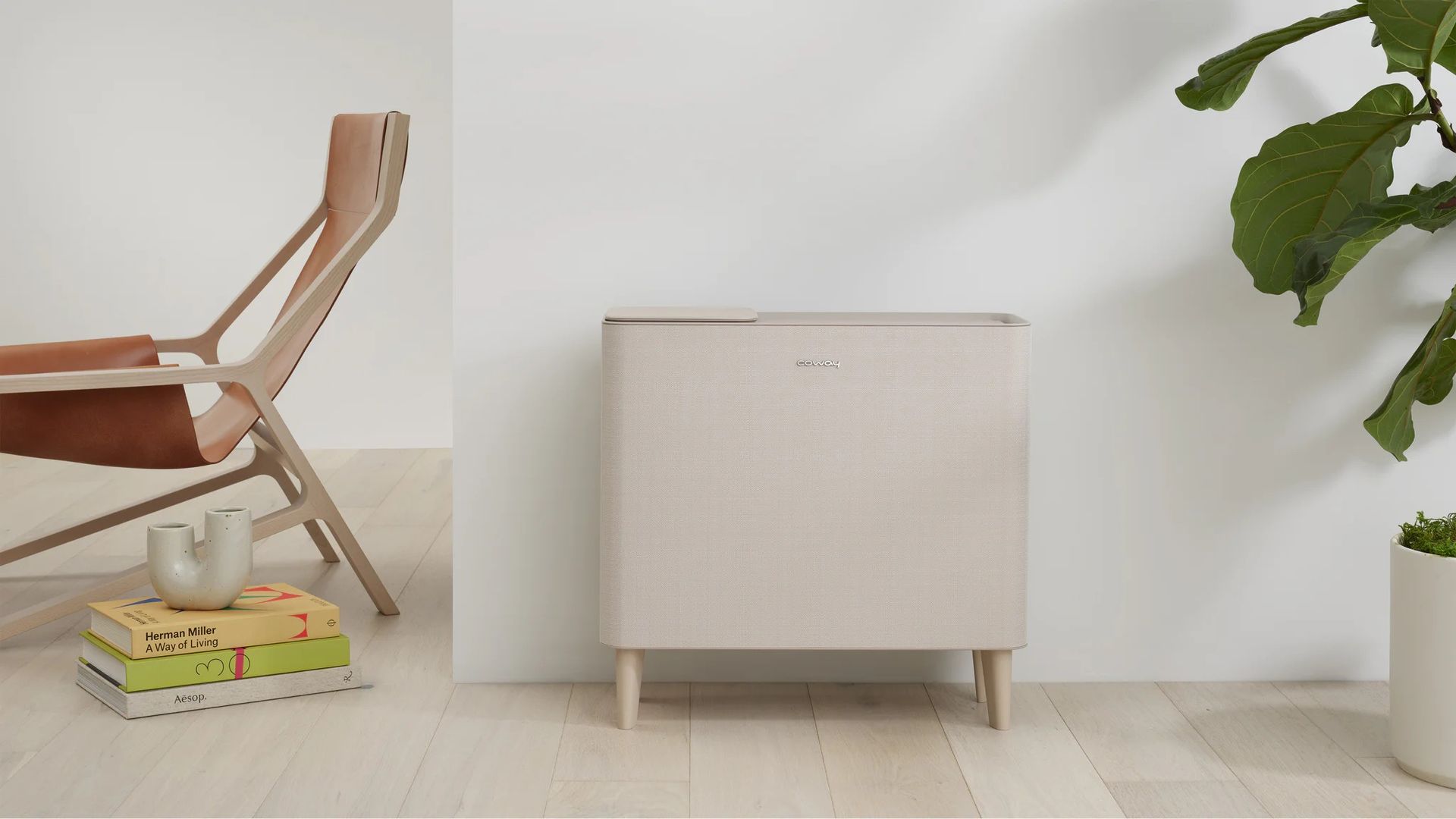
Developer Scott J. Goldman has published a workaround that frees his Coway Airmega IconS air purifier from the company’s cloud, giving him direct control through Home Assistant and Apple Home. The IconS is discontinued but supports Wi-Fi. Goldman’s effort follows repeated problems with the only available Home Assistant route, a community integration that depended on Coway’s IoCare+ cloud.
That integration logged into Coway’s servers, and its history was turbulent. Coway initially banned it for overloading its servers, then allowed it again after a community dispute, and later rebranded its app and cloud from IoCare to IoCare+, forcing a rewrite. Minor HTML layout changes on pages the integration scraped could break it, and Coway’s servers also went offline intermittently. Goldman said his own account was banned for running an old integration version, leaving him without remote control for weeks. He originally wanted only for Apple Home’s Good Night scene to switch the purifier on.
Goldman’s method exploited a lapse in the purifier’s own setup security. During setup, the fan fetches the certificate it trusts over plain, unencrypted HTTP, which he intercepted and replaced using mitmproxy/mitmweb with nftables port redirection. The request he observed was a plain HTTP GET for AmazonRootCA1.pem from an S3 bucket in AWS’s Seoul region. His proxy then served its own CA to the fan, and a proxy plugin swapped his own key into the device certificate and private key the fan downloaded from Coway’s cert server.
The fan’s commands traveled over MQTT, a lightweight messaging protocol common in smart-home devices, secured with TLS on port 8883 and routed through AWS IoT. The proxy did not decode MQTT but displayed the raw stream, which an AI he did not name mapped to his app button presses. Goldman had first considered forging a certificate using eMudhra, a certificate authority whose private keys turned out to be trivially weak last month, but the plain-HTTP download made that unnecessary.
Goldman used AI tools throughout. Claude’s guardrails blocked his request to configure his Raspberry Pi to intercept the fan’s traffic under the cybersecurity category, so ChatGPT wrote the firewall rules, and an unnamed AI later rebuilt the fan’s Bluetooth setup in about 20 minutes. Doing that Bluetooth work by hand, he estimated, would have taken hours or even days; the unnamed AI also drove an Android phone over adb to read its Bluetooth logs and reconstruct the protocol.
The project, offered as coway-local, connects the fan to Home Assistant directly and from there to Apple Home. A Web Bluetooth page, openable in Chrome on a Mac or Android device near the fan, sends the Wi-Fi details and the fan’s certificate URLs, so no traffic interception is needed; the Wi-Fi password goes to the fan over Bluetooth, Home Assistant never stores it, and the setup link expires after 15 minutes. The integration runs its own MQTT broker, so the fan talks to Home Assistant instead of AWS. It requires Home Assistant Core 2026.10.2 or newer, a fixed LAN address and 2.4 GHz Wi-Fi.
Using it disconnects the fan from Coway’s cloud, so Coway’s app can no longer control it. The project is experimental and tested only on the IconS (AP-1022K); other Coway models may complete Bluetooth setup without actually working. PM10 and other air-quality metrics, filter alerts and firmware updates are not implemented yet. Goldman suspects Coway’s cloud could eventually be discontinued or carry a service fee, and he described a local path as insurance against that. For him, he said, the result brings satisfaction: he can finally click Good Night.
More cybersecurity news from TechManNews.