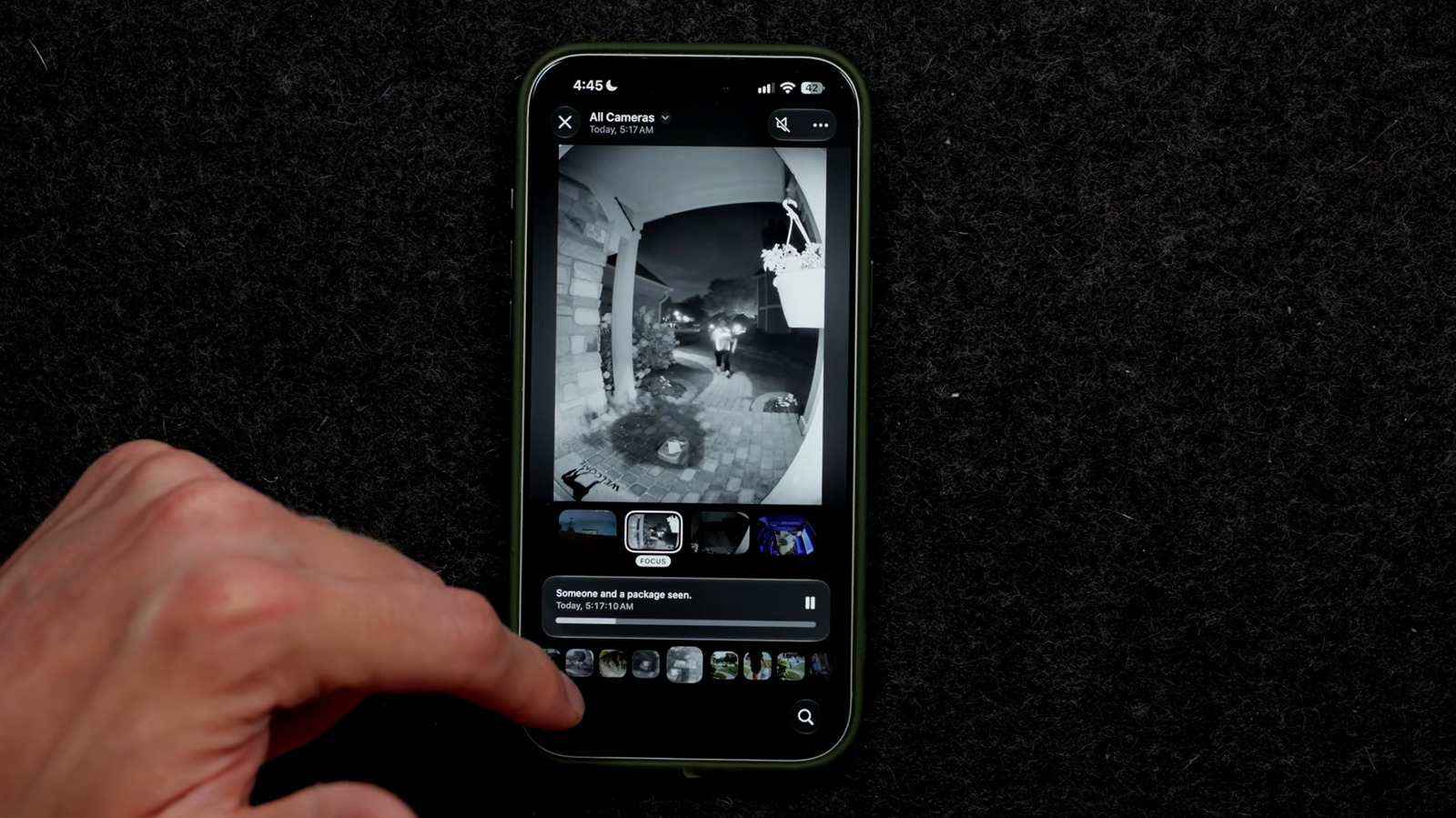
Apple is bringing Apple Intelligence features to its home security camera system with the release of iOS 27, introducing a video summary tool that generates descriptions of footage captured by Apple HomeKit cameras. The upgrade groups related clips from multiple cameras to provide a fuller picture of a single event. Apple's press release for the feature shows a man identified as Robert arriving at a home carrying a bowl of fruit, an example of how HomeKit's Apple Intelligence and Face Recognition software work together. Users can also search recordings with natural language queries and group similar videos to cut down on notifications.
The feature carries significant hardware requirements. Users need at least a second-generation HomePod, a HomePod Mini or an Apple TV 4K running Apple's latest operating system. An Apple Intelligence-enabled iPhone is also required, nominally the iPhone 15 Pro or later.
The largest obstacle is the cost of the cloud storage the program relies on, which can reach $60 per month depending on the number of cameras. Charging for a HomeKit Secure video cloud storage plan is not new, but the AI features require substantially more expensive iCloud+ tiers. A single camera requires the 2 TB iCloud+ plan at $9.99 per month. A second Apple Intelligence-enabled camera requires the $29.99 per month, 6 TB plan. A setup of three to the maximum five cameras requires 12 TB of iCloud storage, putting the cost at $59.99 per month, or more than $700 a year. That storage comes in addition to a family's existing iCloud storage plan.
Users do not have to deploy the feature across every camera. Someone might want AI summaries on a front porch camera to track deliveries but see little value in analyzing wildlife passing a back window. Selective deployment can help hold down costs.
Apple notes on its Apple Intelligence support page that supported cameras and iCloud+ features may change over time, so the current price structure may not hold. The feature is optional, meaning users are not enrolled in a costly subscription unless they choose to use it. Compatible cameras are listed on Apple's Smart Home Accessory website.
Setup runs through the Home app on an iPhone, iPad or Mac. Users first confirm that their HomeKit Secure Video system is configured, then open the Home app, tap the Home tab, select the three-dotted icon and choose Home Settings to turn on Apple Intelligence. From there, they can enable or disable video descriptions per camera. Face Recognition can be turned on to identify familiar visitors, and Reduce Notifications can be enabled under Apple Intelligence in Home Settings.
More AI news from TechManNews.