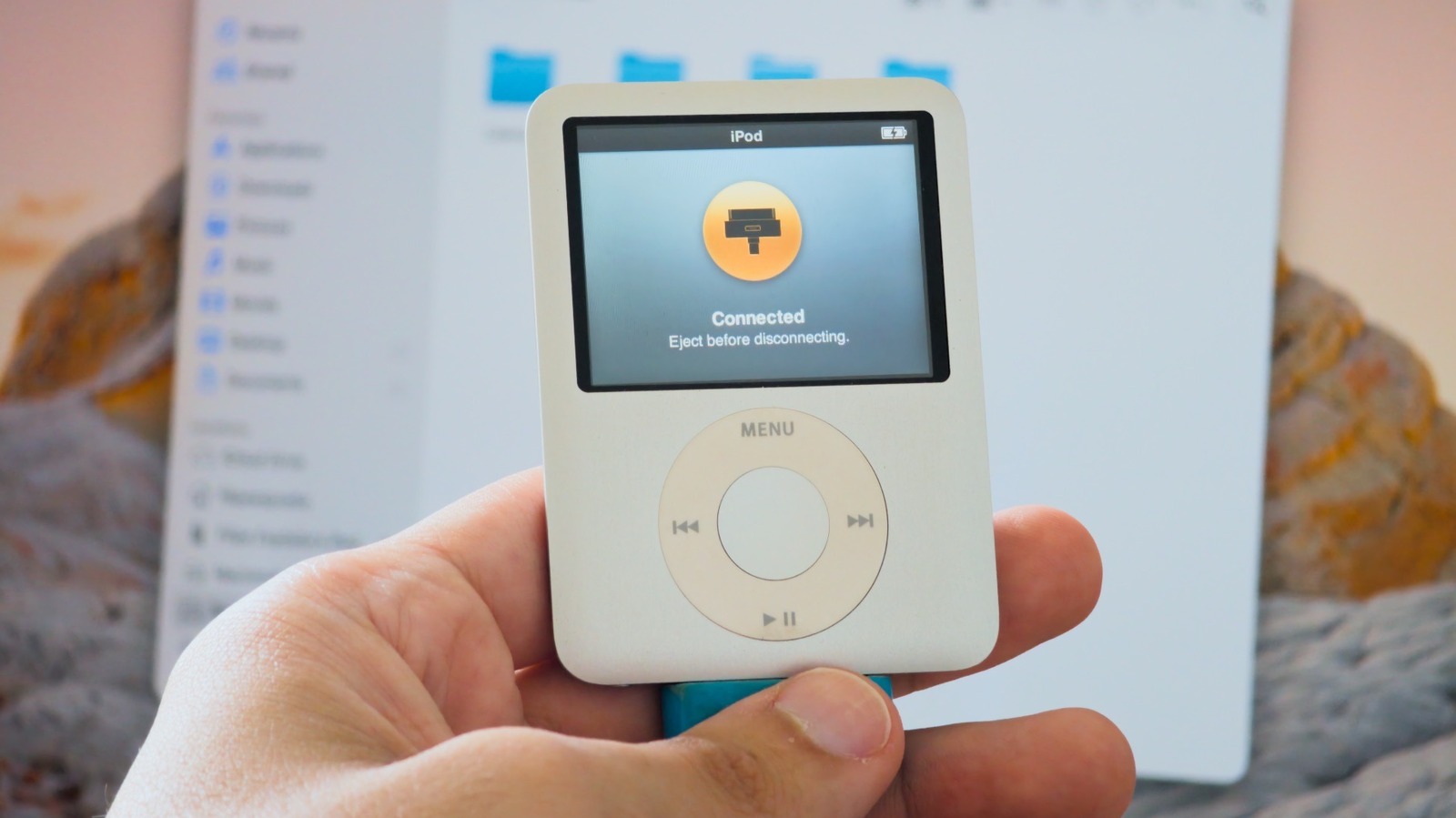
Owners of older iPods can repurpose the discontinued Apple players as basic USB flash drives that work on both Mac and Windows computers, according to a report from Engadget. The approach applies to pre-iOS iPods, which include Click Wheel models and the seventh-generation iPod nano. Apple discontinued the iPod lineup years ago, but many of the devices remain unused in drawers.
The feature is not enabled by default. On a Mac, users connect the iPod, locate it in the Finder sidebar, open the General tab and turn on Enable Disk Use before clicking Apply. On Windows, the same option is available through iTunes or the Apple Devices app.
Once Disk Use is enabled, the iPod shows up in Finder or File Explorer like any other USB flash drive or external hard drive. Files dragged onto it are stored on the device but do not appear on the iPod itself, only on a computer or another device that can read external drives. The files share space with the iPod's system files and existing music, so the full capacity is not available for storage.
Compatibility depends on how the iPod was formatted. An iPod set up on a Mac is typically formatted as HFS+, which Windows cannot read without third-party software. Restoring the iPod and setting it up on a Windows PC switches it to FAT32, which Macs, smart TVs and other platforms can read, though FAT32 limits individual files to 4GB. Restoring the device erases everything on it.
Engadget noted that buying an old iPod for this purpose rarely makes sense. A 32GB USB flash drive usually costs around $10 and holds more than most older iPods, which have less than 20GB of storage aside from the iPod Classic. All of these iPods are also limited to USB 2 speeds, making them a poor choice for large transfers.
A separate feature called Disk Mode is often confused with Disk Use. Disk Mode is a diagnostic tool that can help when an iPod freezes or fails to appear on a computer. On Click Wheel models, including the iPod classic, iPod mini, iPod with video and nano up to the fifth generation, users flip the Hold switch on and off, then hold Menu and the center button for about six seconds until the Apple logo appears. After releasing, they immediately hold the center button and Play/Pause until the Disk Mode screen appears.
Neither Disk Mode nor Disk Use is available on the iPod touch, which runs iOS rather than the older iPod operating system. Engadget also advised carrying a 30-pin cable, since one is unlikely to be found otherwise. For users who want more than storage, the crowdfunded Sprout Pi Mainboard adds USB-C, Bluetooth and streaming apps to select iPod models.
More company and startup news from TechManNews.