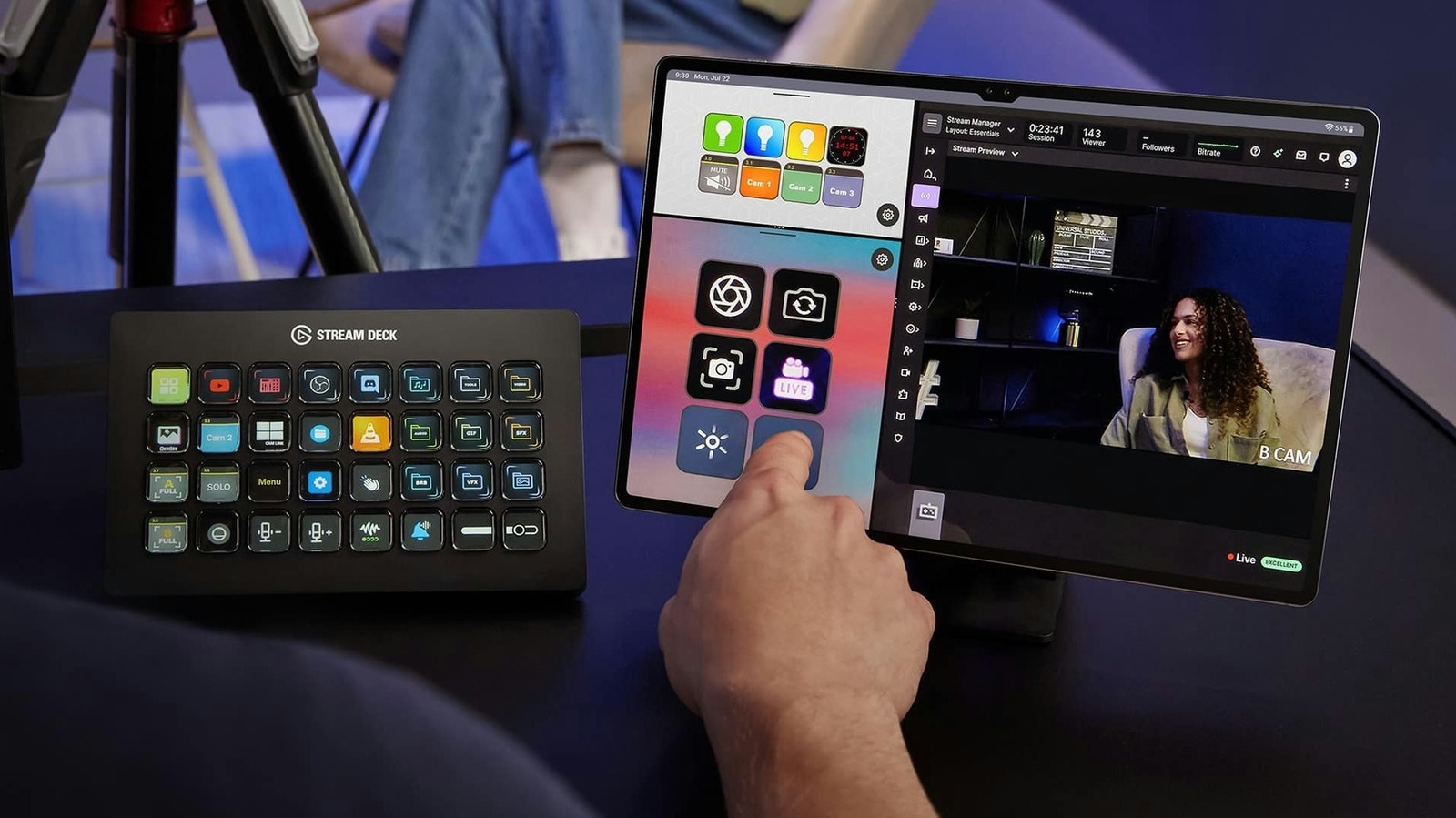
Owners of aging iPads and Android tablets have a new option for putting the hardware back to work as a virtual Stream Deck, the programmable button controller used to automate tasks on PCs and Macs. Elgato, the company behind the Stream Deck hardware line, now offers a mobile app that turns phones and tablets into controllers, eliminating the need to buy dedicated hardware. The app supports iPadOS 15 and Android 9, so most tablets released in recent years should be able to run it, according to Engadget.
A Stream Deck is a physical controller with programmable buttons, each paired with a small screen. Users employ it to trigger actions such as opening an app, muting a microphone or switching between cameras. Elgato already sells Stream Deck hardware and software, and the mobile app extends those controls to devices that might otherwise sit unused in a drawer after an upgrade.
Setup carries some networking requirements. Both the computer and the tablet must be on the same local network, so a tablet connected over 4G or 5G will not work. If the two devices fail to communicate, users should check whether firewall or antivirus software is blocking the connection, and Windows users may need to switch their network profile from Public to Private. Mac and iPad users can pair over USB instead of Wi-Fi, which the source describes as easier and more stable, with lower latency when a button is pressed.
After pairing, the app can be customized with the desired controls. Actions are dragged from a panel onto empty keys, functioning as they would on Stream Deck hardware. Elgato offers plugins for OBS Studio, Twitch, YouTube and Spotify, along with support for smart lights from Philips Hue, Nanoleaf and Govee.
The free version of the Stream Deck mobile app provides up to six buttons with unlimited access to actions and no trial period. That matches the button count on the Stream Deck Mini, Elgato's smallest controller, and covers basics such as starting a livestream or muting a mic. Stream Deck Mobile Pro raises the limit to 64 buttons, more than the Stream Deck + XL, and adds grid options, custom backgrounds and, on iPad, the ability to run two keypads side by side in Split View. Subscriptions cost $2.99 per month or $24.99 per year, and Elgato also sells a lifetime license for $49.99.
For those who adopt the setup, an inexpensive tablet stand can keep the device within sight, and keeping it plugged in prevents the battery from dying mid-stream. The screen should also be set to stay on so the buttons remain accessible. On iPad, Auto-Lock can be set to Never under Settings > Display & Brightness, and Android tablets offer a comparable option in their display settings.
More gadget news from TechManNews.