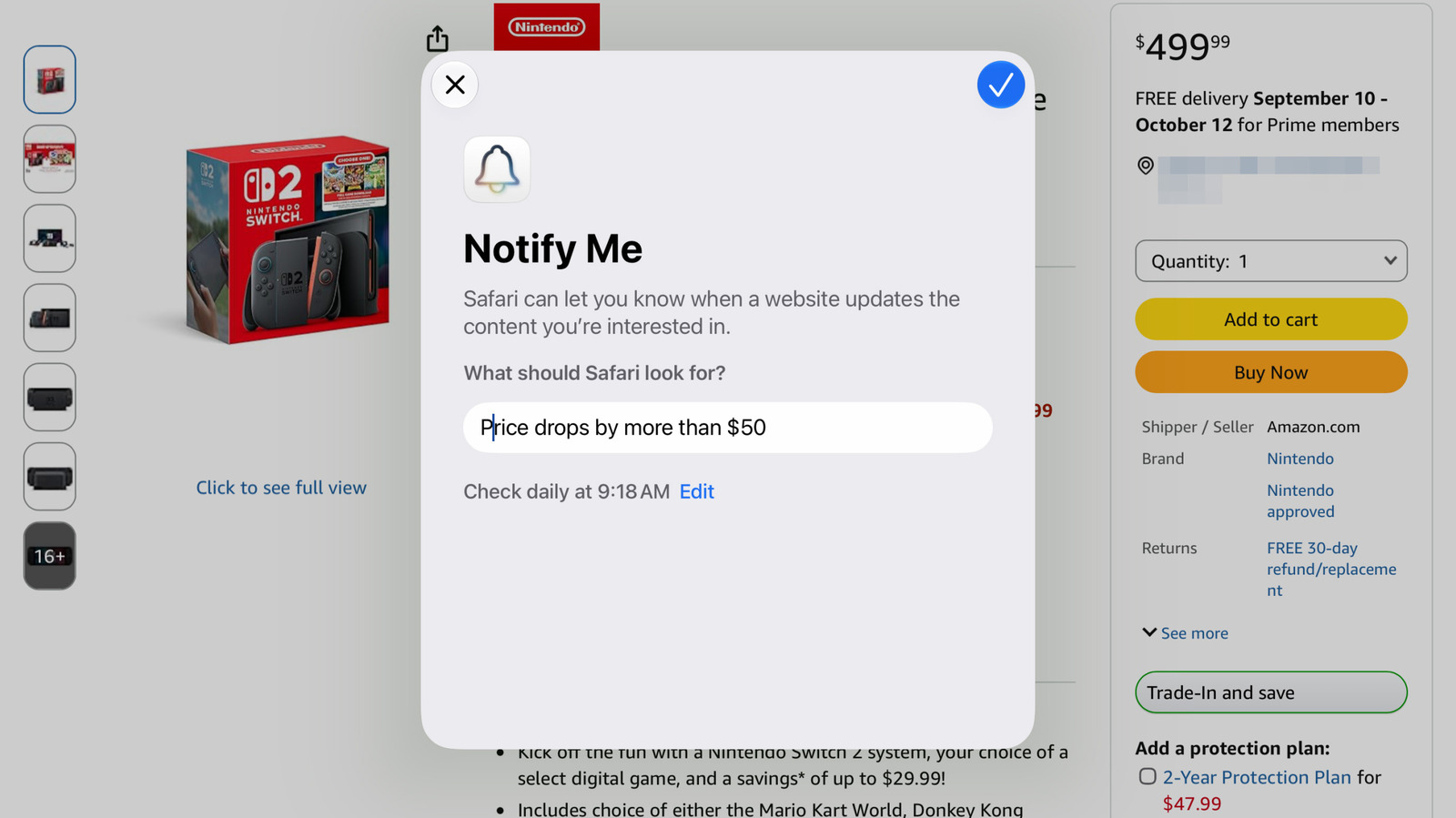
Apple’s Safari browser now includes a Notify Me tool within the company’s latest operating system updates, offering users a way to receive alerts for price drops, product restocks, and other changes on any webpage. The feature is part of iOS 27, iPadOS 27, and macOS 27 Golden Gate, and it works directly inside Safari on the iPhone, iPad, and Mac. No third-party apps or browser extensions are required to use the monitoring capability.
The tool is designed to watch for a wide range of website changes, not just shopping-related ones. Users can set it to monitor concert ticket availability, tour dates, or news stories on a particular topic. Notify Me operates entirely on the device itself rather than in the cloud, so it will only send alerts on the device where it was configured. That means users should set it up on the device they carry with them most often, such as an iPhone.
To begin using Notify Me, a user taps or clicks the three horizontal lines on the left side of Safari’s address bar. From there, selecting Notify Me brings up a pop-up asking for a simple description of what changes to watch for on that page. After entering that description, the user can tap the blue edit button to choose the frequency of checks, with options for hourly, daily, weekly, or monthly intervals.
Once the desired settings are selected, a blue checkmark appears in the upper right corner to confirm the alert. If notifications have not already been enabled for Safari, the system will prompt the user to grant that permission. The feature runs locally, which reinforces the need to set it up on the device where the user expects to see the notification.
For users who want to adjust or remove an existing alert, the process is straightforward. Visiting the same webpage again brings up an Edit option in a banner at the top of the screen, allowing changes to be made directly. Alternatively, the user can navigate to Settings, then Safari, and scroll down to the Notify Me section near the bottom of that menu to manage all active alerts.
This functionality appears as part of Apple’s broader effort to integrate more utility into its default browser without forcing users to leave Safari. By handling the monitoring locally, the feature avoids relying on external services or background server checks. That approach also means the alerts remain tied to the specific device, giving users control over where they receive updates.
More gadget news from TechManNews.