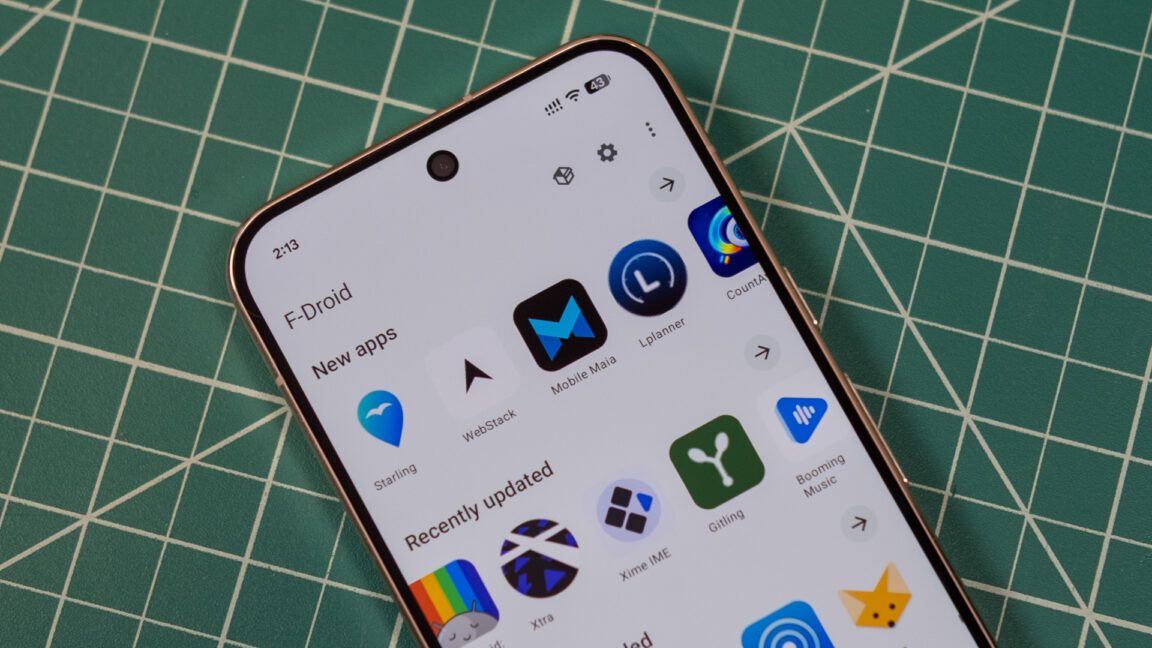
F-Droid has released its most significant client update in ten years, version 2.0, bringing a rebuilt interface and a streamlined installation process to users of the open source Android app store. The new client was rewritten from scratch in Kotlin Compose, the standard framework for modern Android apps, according to the project team. That change makes the store noticeably more responsive and allows optional support for Android's Material theming. The interface has been simplified so core functions are easier to reach, with some lesser-used options moved into overflow menus.
The update focuses primarily on helping users find and install apps from F-Droid's catalog, which now numbers in the thousands. Unlike the Play Store, F-Droid does not track taps and installs to target advertising or suggestions. Search has been expanded so results can be returned based on app descriptions, not just app names. F-Droid now organizes its catalog into a large number of categories covering specialized niches such as firewalls, password managers, and VPNs. Those groups appear in the search tab, while broader categories are listed on the main Discover page.
Installation is also changing. Google has long restricted sideloaded apps on Android, citing security concerns, and that rationale extends to its upcoming developer verification system. F-Droid 2.0 uses Google's pre-approval API to reduce friction. Rather than downloading an APK, opening it, and confirming the sideloading warning, a user taps Install in F-Droid and then taps Install again in a system pop-up. That is one more step than the Play Store requires, but the project describes it as an improvement.
F-Droid 2.0 will automatically check for and install app updates unless the user turns that off, and it can download and install multiple apps at once. Because updates are handled automatically, the client no longer supports pull-to-refresh on the app screen, a change the developers acknowledge may not sit well with their user base. Manual updates remain available through the three-dot menu.
The release is rolling out in stages over the next two weeks, and the default installer offered on the F-Droid site has not yet been replaced. Users who want 2.0 immediately can find it on the versions page. The official client is not the only route to F-Droid apps, but the project says there is now less reason to look for an alternative.
More software news from TechManNews.